• Skip to main content
  • Skip to footer

Rachel Andrea Go

Fractional CMO for B2B eCommerce Companies

  • Services
    • Fractional CMO
    • Customer-Led Content
    • Case Studies
  • Work
    • Experience
    • Portfolio
    • Testimonials
  • Resources
    • Remote Work Email Course
    • Templates and Downloadables
  • Blog
    • Guest Post Guidelines
  • Contact
You are here: Home / Content / How to embed Google Maps into a website

Rachel Andrea Go / August 3, 2015

How to embed Google Maps into a website

View as MarkdownOpen this post as raw Markdown in a new tab.
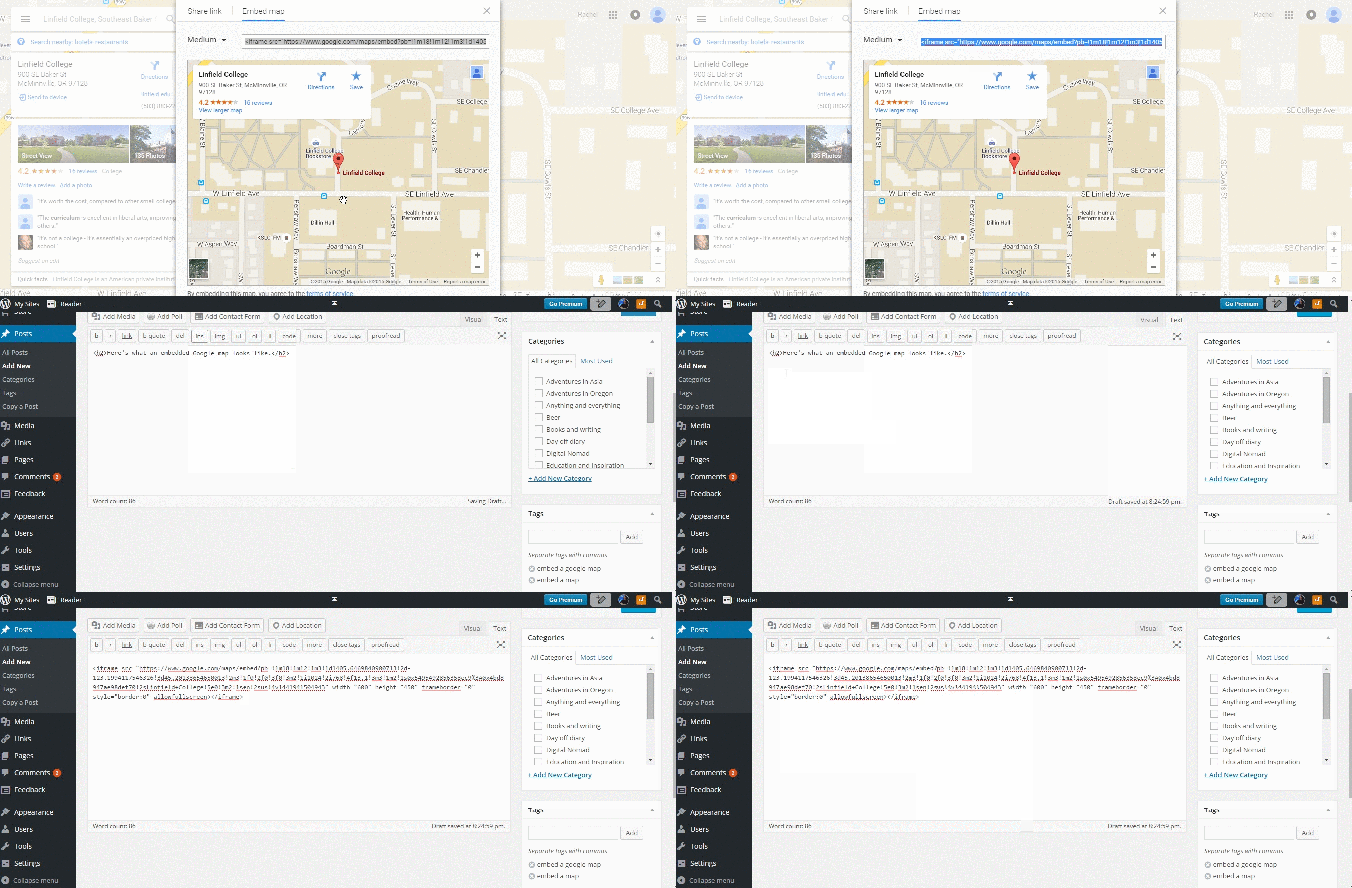
Google maps step 4

Adding a map to your website or blog article is a great way to show your visitors location or directions. Here’s how to do it in 4 steps.

1. Go to Google Maps and find the screen you want to show
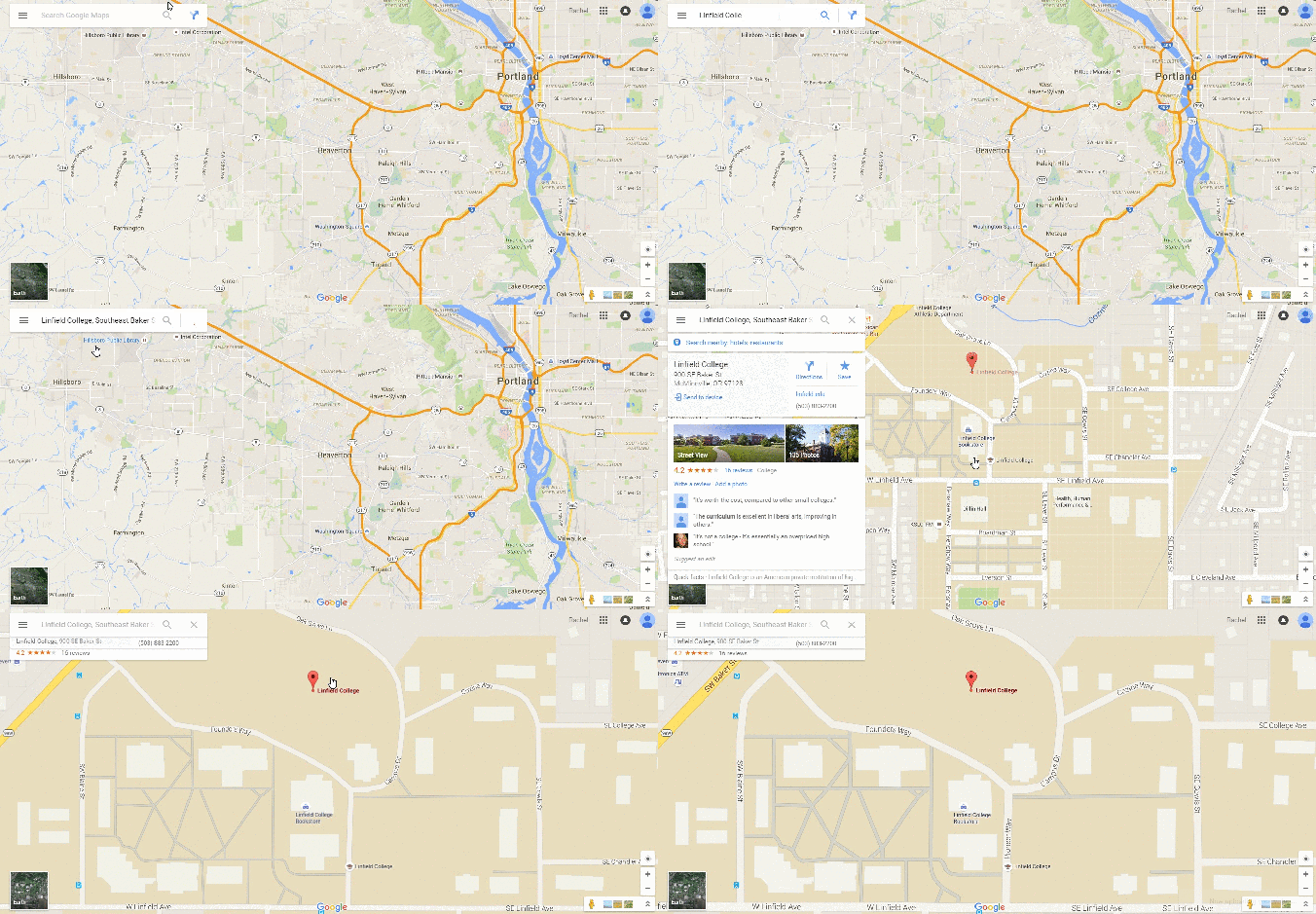
2. Click the menu icon in the top left corner and go to “Share or embed map”
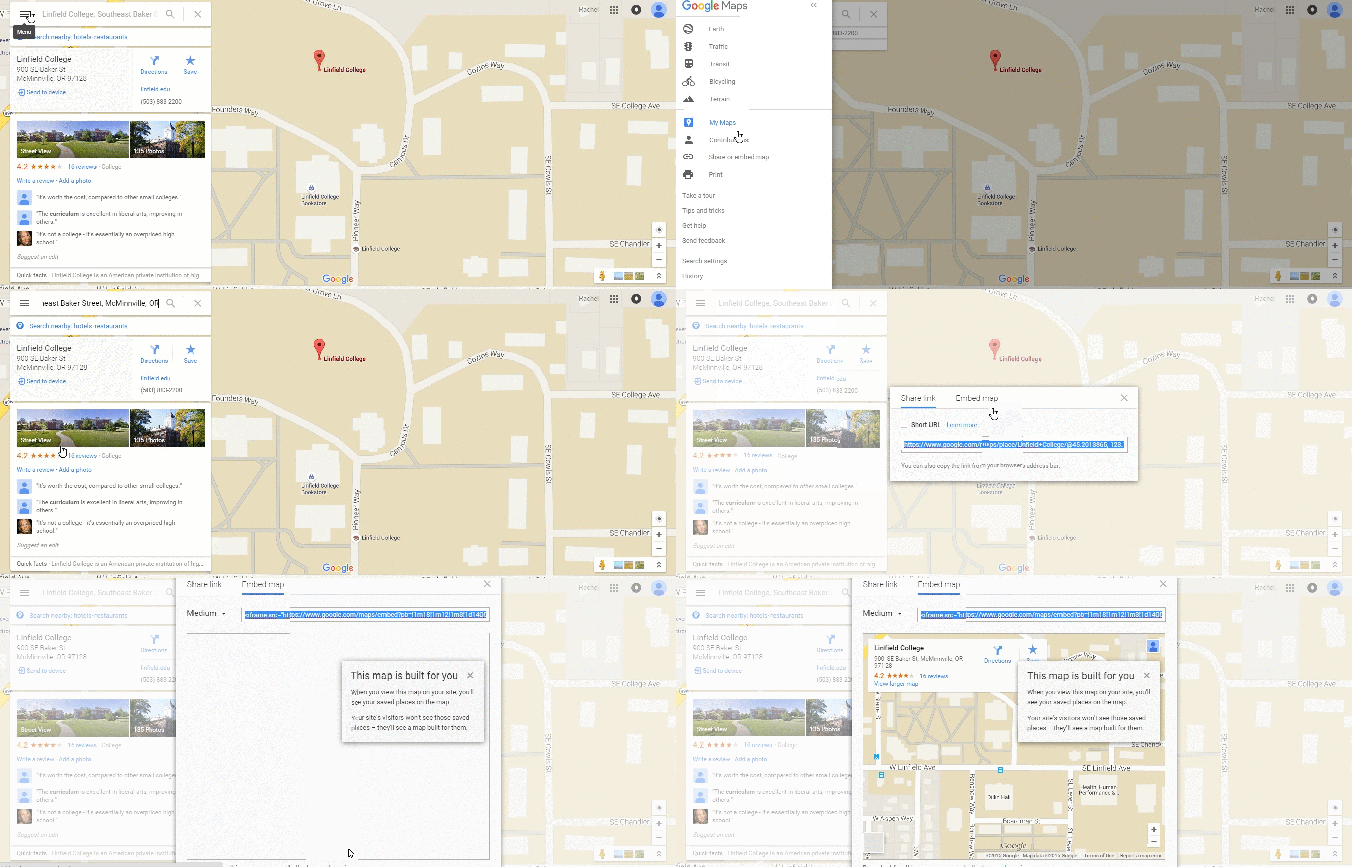
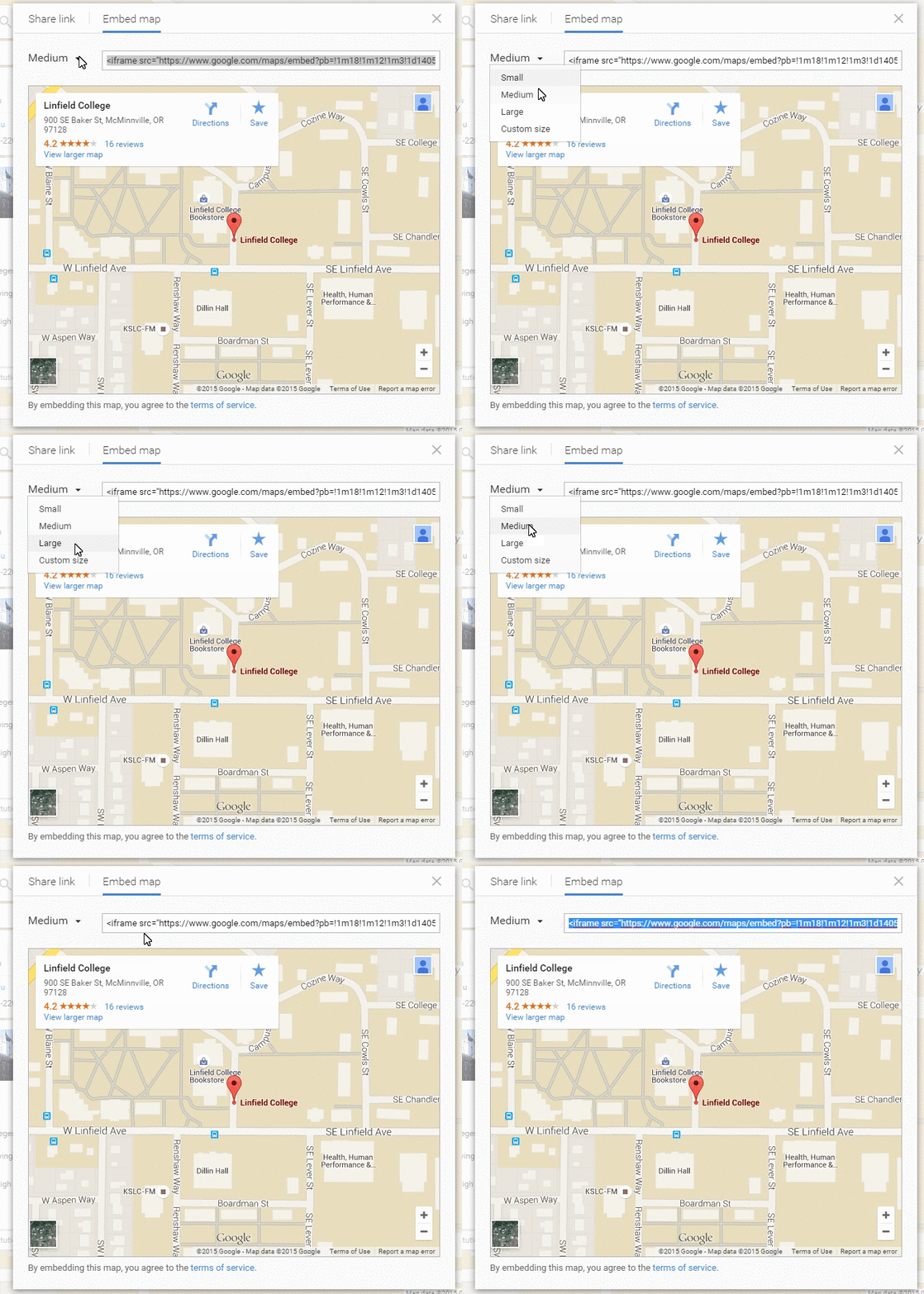
3. Select what size you want the map to appear at and copy the link
4. Paste the link into the HTML editor of your blog

Here’s what an embedded Google map looks like.

[googlemaps https://www.google.com/maps/embed?pb=!1m18!1m12!1m3!1d1405.6469840900713!2d-123.1994117546326!3d45.20138654650013!2m3!1f0!2f0!3f0!3m2!1i1024!2i768!4f13.1!3m3!1m2!1s0x5495492856358ec9%3A0x4bd8947ae98def70!2sLinfield+College!5e0!3m2!1sen!2sus!4v1441941504943&w=600&h=450]

Filed Under: Content

Footer

Subscribe

Recent Posts

  • Case Study: Building Marketing for a B2B eCommerce Logistics Company
  • Two-year retro at iDrive Logistics: Doubling conversion rate with 120% more inbound contacts on flat traffic
  • How my fractional CMO model was born from an early project brief
  • I’m a Certified Marketing Engineer (Plus the Project That Earned My Diploma)
  • How I ran Deliverr’s Discoverr Conference 55% under budget
  • Building Deliverr’s Walmart Marketplace email course from audience signals
  • Creating 13 pages of B2B fulfillment web copy for Shipwire
  • Service as a service: 6 Early lessons from building with AI
  • Email Signature Marketing: Ideas and Email Signature Generators
  • 26 Awesome Website Optimization Tools to Improve Your Site Performance

Categories

  • Case Study
  • Content
  • eCommerce
  • General
  • Management
  • Product Marketing
  • Remote Work

Get in Touch

Want to collaborate? Find me at Rachel[at]rachelandreago.com.

© 2026 · Rachel Andrea Go · Developed by John Pick